
A Walkthrough of Contract Testing with Entente
This walkthrough demonstrates the complete Entente contract testing workflow using our example castle-service (provider) and castle-client (consumer). Follow along to see how contract testing works in practice.
Step 1: Initial Project Setup
Section titled “Step 1: Initial Project Setup”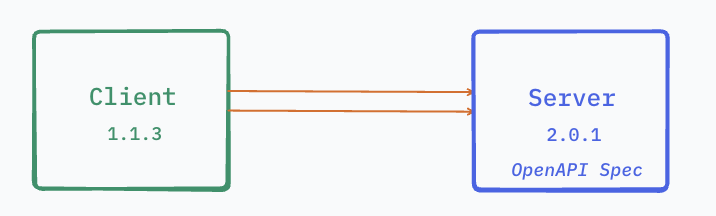
Setting up the basic project structure and dependencies for both the provider and consumer services.
Step 2: Provider OpenAPI Specification
Section titled “Step 2: Provider OpenAPI Specification”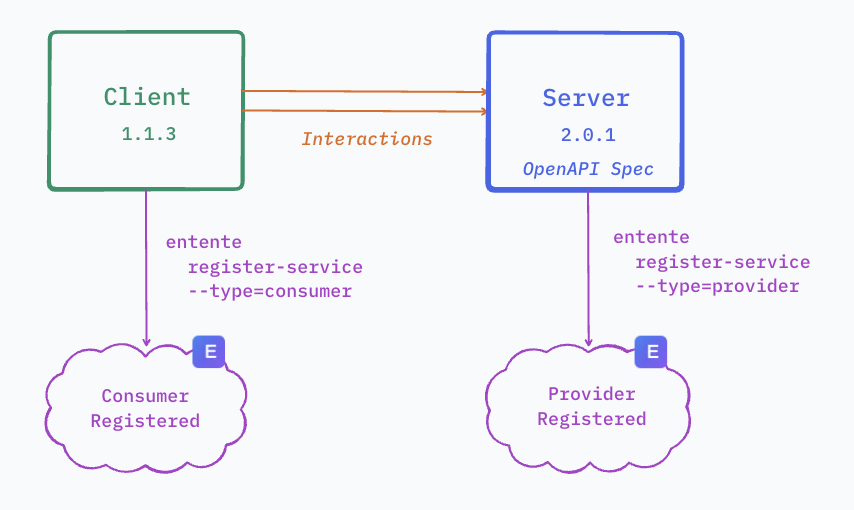
Creating the OpenAPI specification that defines the contract for the castle-service API.
Step 3: Consumer Service Configuration
Section titled “Step 3: Consumer Service Configuration”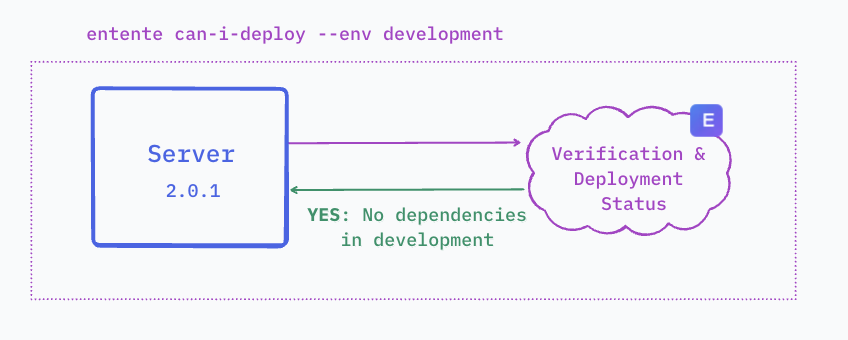
Configuring the castle-client to connect to the Entente service and specify which provider it depends on.
Step 4: Mock Server Creation
Section titled “Step 4: Mock Server Creation”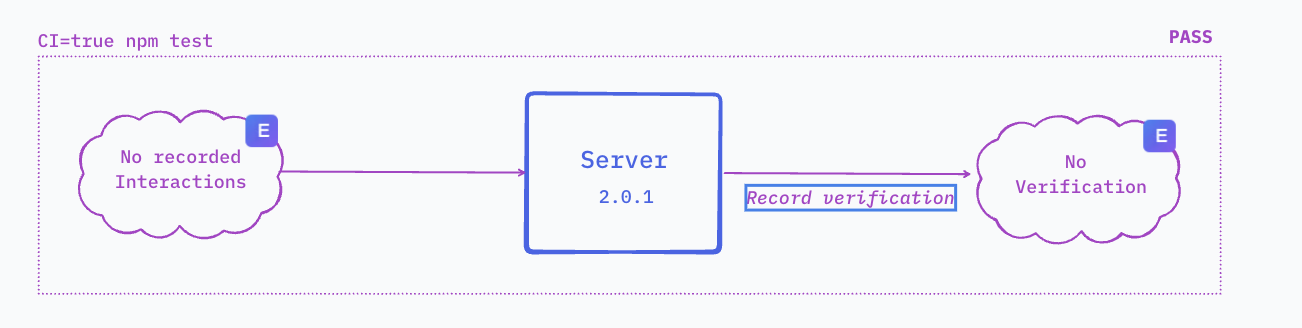
The consumer creates a mock server from the provider’s OpenAPI specification for testing.
Step 5: Test Execution with Mocks
Section titled “Step 5: Test Execution with Mocks”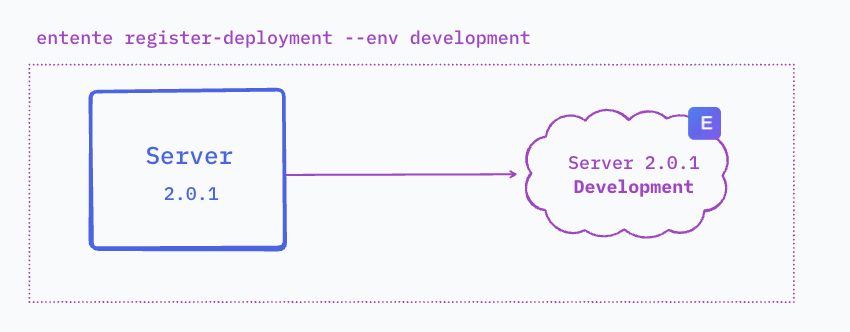
Running consumer tests against the mock server with automatic interaction recording enabled.
Step 6: Interaction Recording
Section titled “Step 6: Interaction Recording”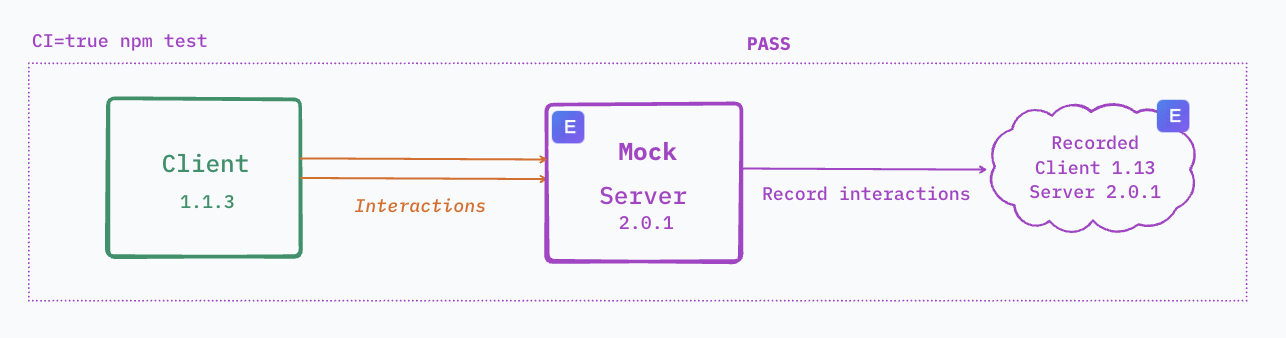
The Entente consumer library automatically records all API interactions during test execution.
Step 7: Recording Upload
Section titled “Step 7: Recording Upload”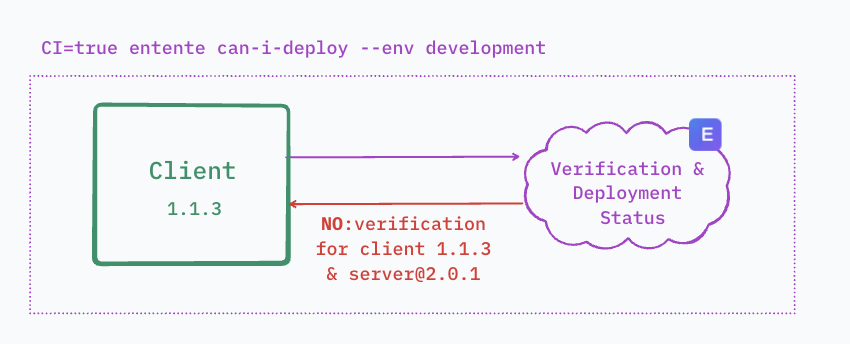
Recorded interactions are uploaded to the Entente central service for storage and later verification.
Step 8: Provider Verification Setup
Section titled “Step 8: Provider Verification Setup”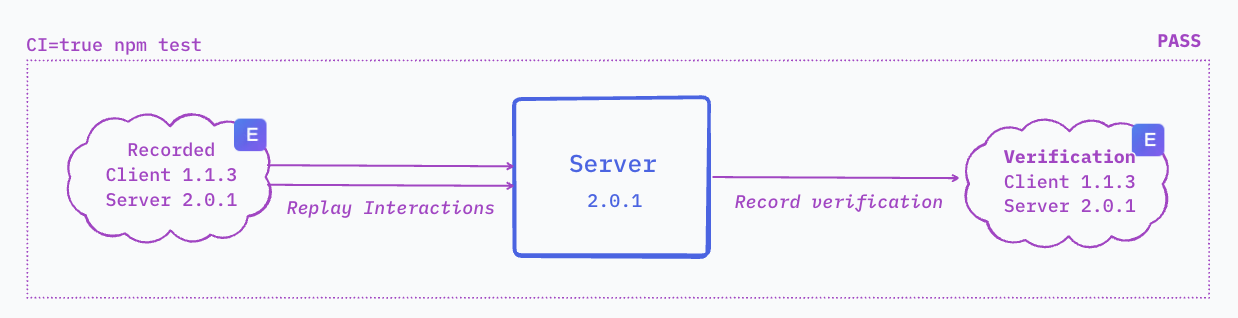
The provider service configures verification to replay recorded consumer interactions.
Step 9: State Handler Configuration
Section titled “Step 9: State Handler Configuration”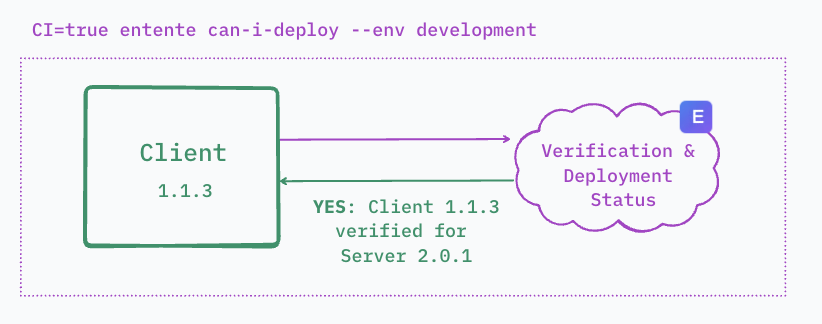
Setting up state handlers to prepare the provider service with the correct data before each verification.
Step 10: Running Provider Verification
Section titled “Step 10: Running Provider Verification”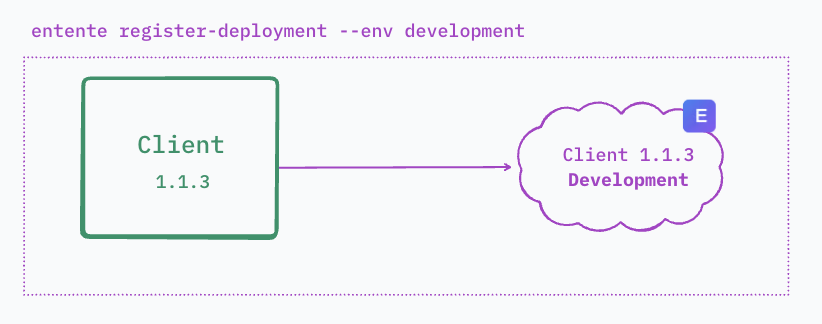
The provider replays recorded consumer interactions against its real implementation.
Step 11: Verification Results
Section titled “Step 11: Verification Results”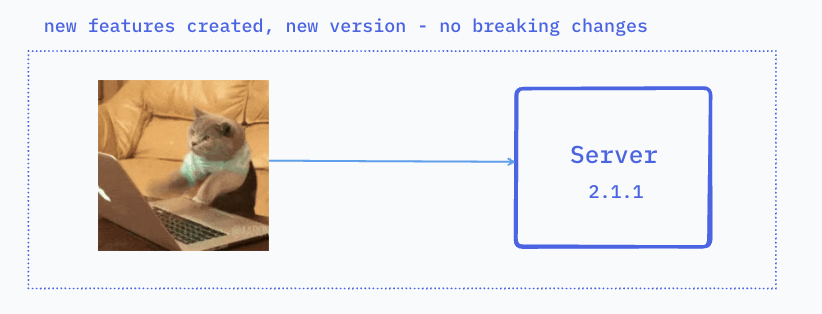
Viewing the results of provider verification to ensure all consumer interactions pass.
Step 12: Fixture Generation
Section titled “Step 12: Fixture Generation”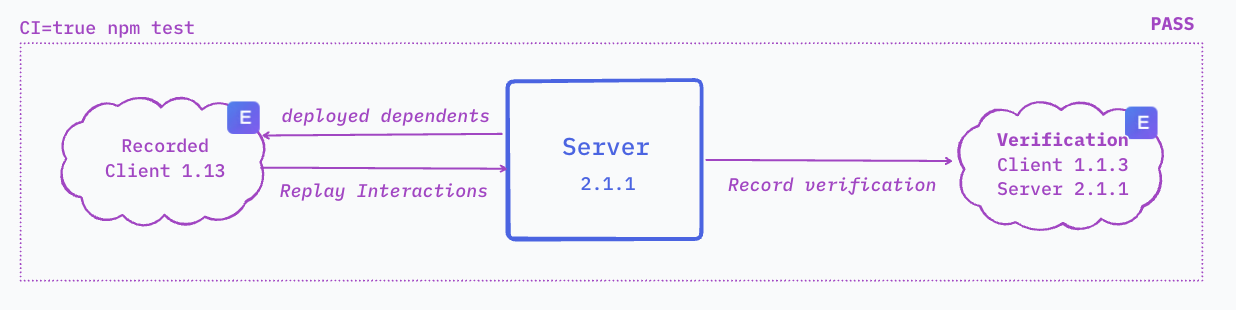
Successful verifications automatically generate fixtures based on real provider responses.
Step 13: Fixture Approval Workflow
Section titled “Step 13: Fixture Approval Workflow”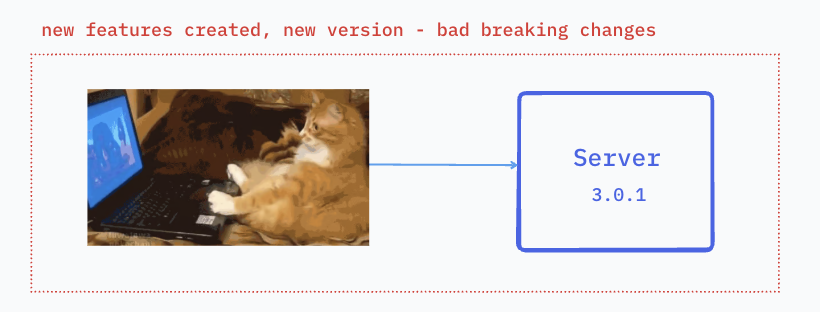
New fixtures enter an approval workflow where teams can review and approve them for use.
Step 14: CI/CD Integration
Section titled “Step 14: CI/CD Integration”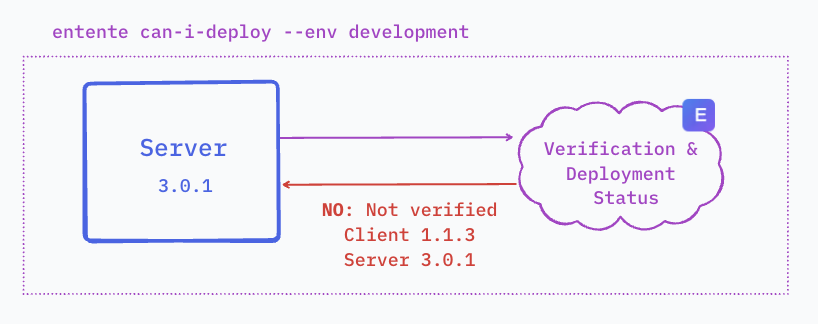
Integrating Entente into continuous integration pipelines for automated testing.
Step 15: Consumer CI Pipeline
Section titled “Step 15: Consumer CI Pipeline”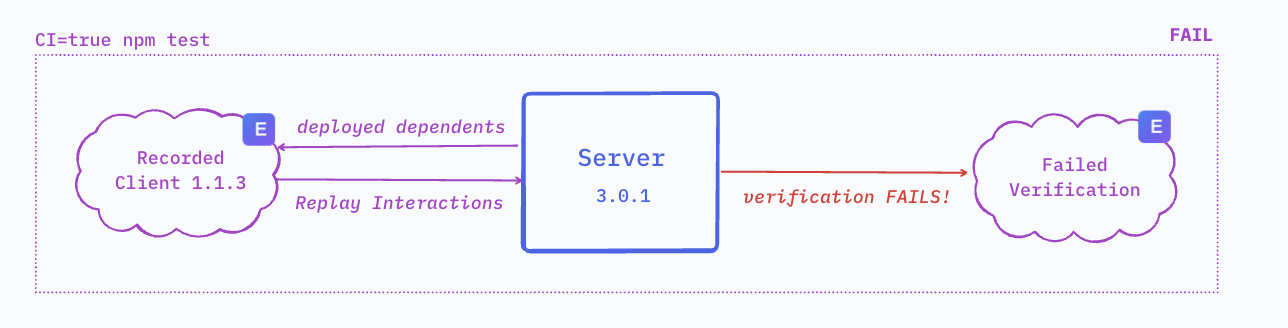
The consumer’s CI pipeline runs tests with recording enabled and uploads interactions.
Step 16: Provider CI Pipeline
Section titled “Step 16: Provider CI Pipeline”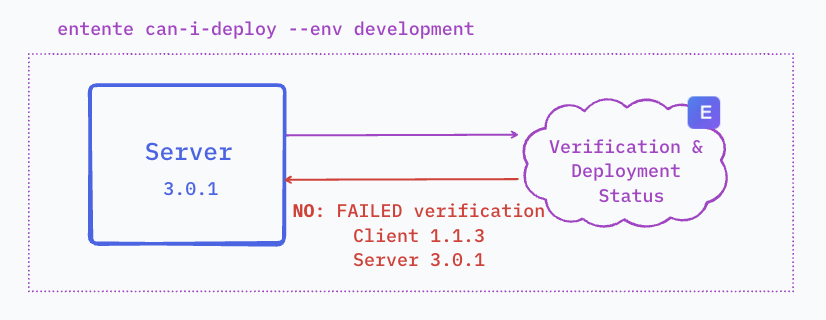
The provider’s CI pipeline runs verification against all recorded consumer interactions.
Step 17: Deployment Safety Checks
Section titled “Step 17: Deployment Safety Checks”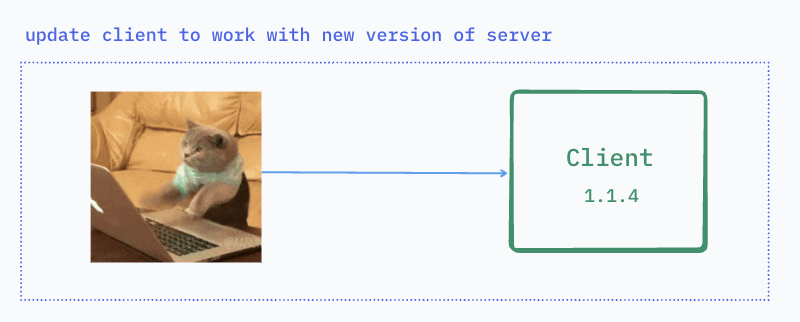
Using “can-i-deploy” checks to verify compatibility before deploying to production.
Step 18: Consumer Deployment Check
Section titled “Step 18: Consumer Deployment Check”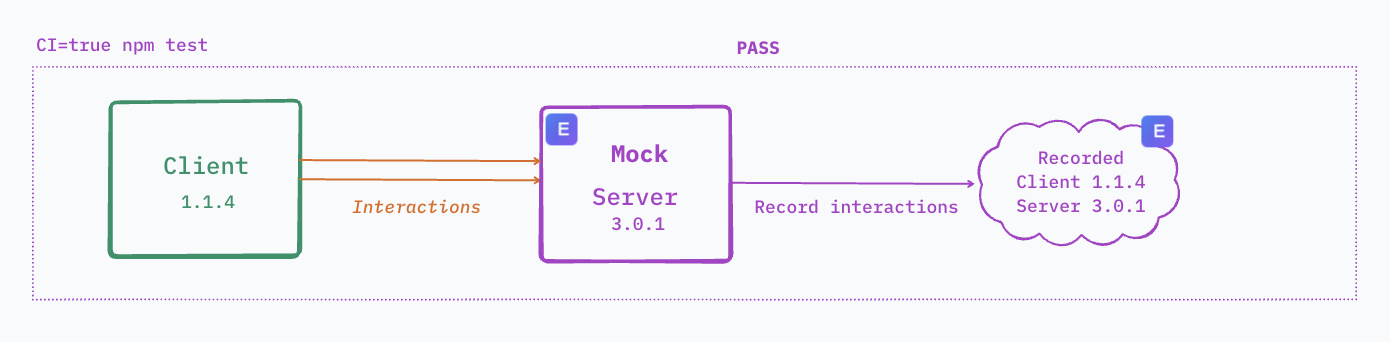
The consumer checks if their version is compatible with deployed provider versions.
Step 19: Provider Deployment Check
Section titled “Step 19: Provider Deployment Check”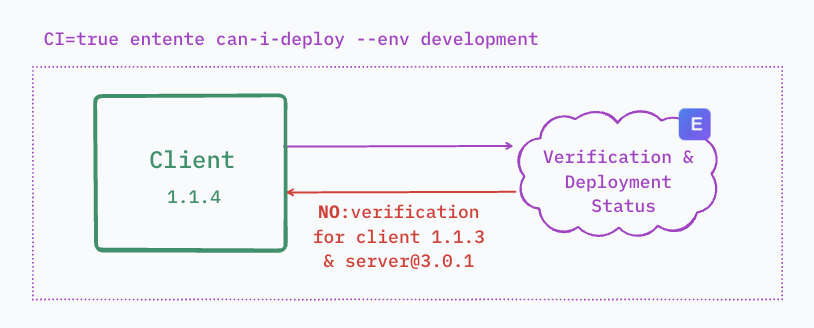
The provider checks if their version satisfies all consumer contracts before deployment.
Step 20: Production Deployment
Section titled “Step 20: Production Deployment”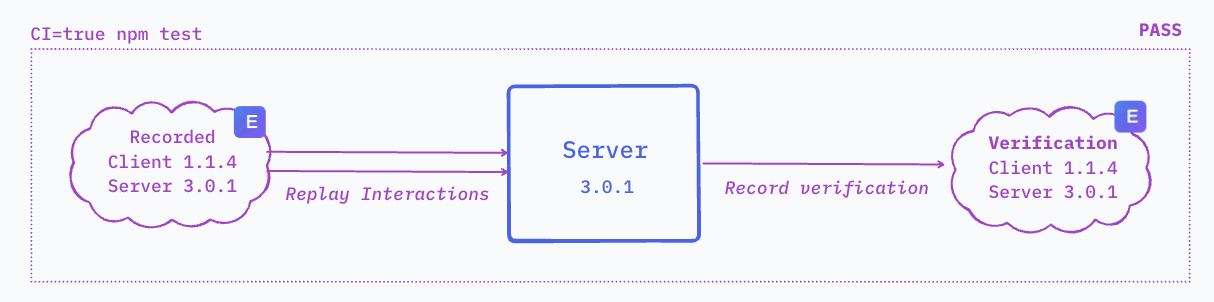
Deploying to production with confidence after all contract tests pass.
Step 21: Deployment Registration
Section titled “Step 21: Deployment Registration”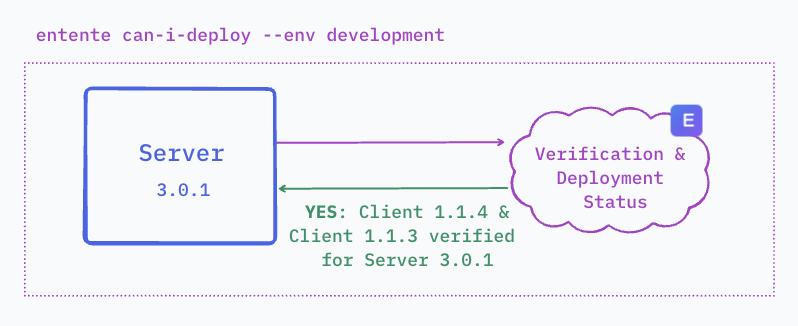
Registering the successful deployment with Entente for future compatibility checks.
Step 22: Monitoring and Alerts
Section titled “Step 22: Monitoring and Alerts”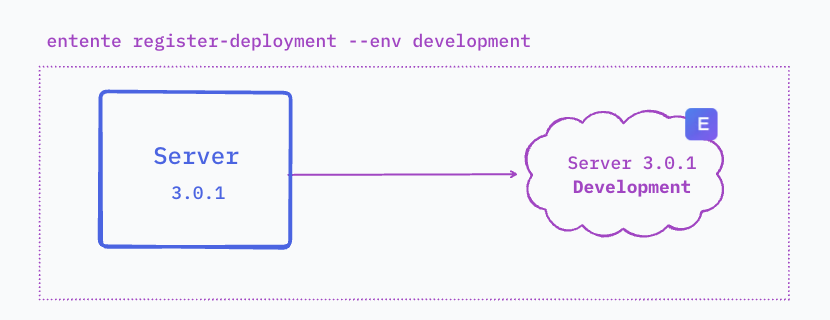
Setting up monitoring and alerts for contract test failures and deployment issues.
Step 23: Breaking Change Detection
Section titled “Step 23: Breaking Change Detection”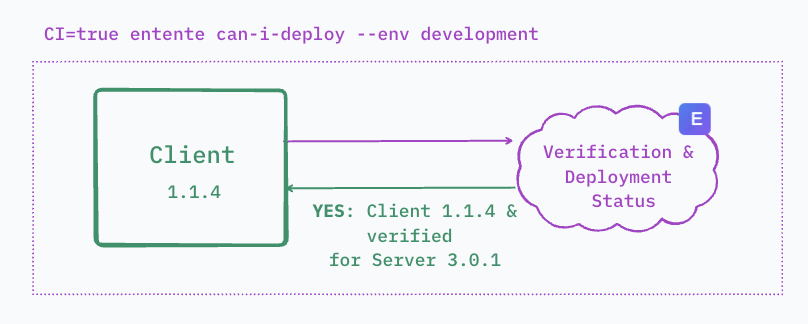
Demonstrating how Entente detects and prevents breaking changes from reaching production.
Step 24: Complete Workflow Summary
Section titled “Step 24: Complete Workflow Summary”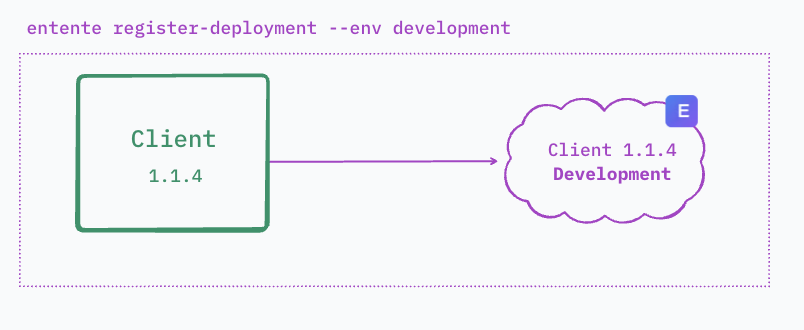
A complete overview of the Entente contract testing workflow from development to production.
Key Takeaways
Section titled “Key Takeaways”This walkthrough demonstrates how Entente provides:
- Automated Contract Testing: No manual mock creation or maintenance required
- Real Interaction Recording: Tests use actual API calls, not theoretical scenarios
- Provider Verification: Ensures implementations satisfy real consumer usage patterns
- Deployment Safety: Prevents breaking changes through compatibility checks
- Fixture Management: Realistic test data based on actual API responses
Next Steps
Section titled “Next Steps”Now that you’ve seen the complete workflow:
- Set up your provider - Configure OpenAPI specs and verification
- Set up your consumer - Create mocks and enable recording
- Integrate with CI/CD - Automate contract testing in your pipelines
- Manage fixtures - Implement the approval workflow for your team